
fm-cli: Fastmail, Minus the Browser Tab
You know the feeling: you’re deep in the terminal, in the zone, and then you need to check your email. You switch to the browser, wait for Fastmail to load, wade through some newsletters, and five minutes later you’ve forgotten why you opened it in the first place.
fm-cli fixes that. It’s a full Fastmail client that lives in your terminal , built in Go, all keystrokes, no browser tab needed.
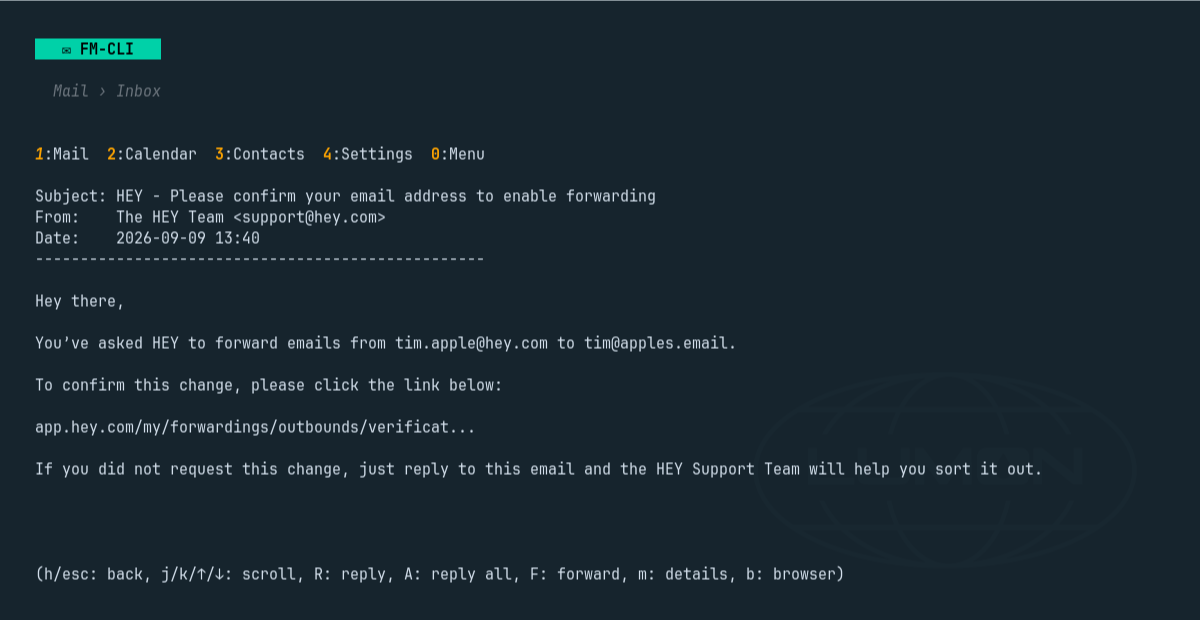
Mail, calendar, contacts , all from the keyboard
fm-cli talks directly to Fastmail’s JMAP API. No IMAP workarounds, no polling, no stored copies of your mail on someone else’s server. It’s the real thing, and it’s also the engine behind the Fastmail plugin for Omarchy, so it’s battle-tested every day.
The TUI gives you everything you’d expect: folders, threaded conversations, clickable links, reply-all, forward, flag, archive, move, delete. Compose in $EDITOR with contact autocomplete that actually works. A two-week calendar agenda and a contacts browser. Inline images, if your terminal supports it. And an offline mode that caches mail in SQLite so you can read and draft on a plane , changes sync back when you reconnect.
Scripting that doesn’t fight you
Here’s where fm-cli really shines. Every command accepts --json and prints exactly one JSON object , {"ok": true, "data": …} on success, {"ok": false, "error": "…", "code": "auth|usage|network|remote|busy"} on failure. That means you can pipe it into jq, drive it from shell scripts, or build automation around your mailbox without parsing human-readable output or worrying about edge cases:
|
The watch command holds a live push connection open and prints a JSON line for every change , new mail, read status, folder moves. One connection per account, no polling, no rate limits.
Auth you don’t have to think about
Sign in with fm-cli auth login and it opens Fastmail’s consent page in your browser. Approve it there, and the tokens go straight into your system keyring. They refresh themselves. You never copy a token. If you’re on a headless machine, FM_API_TOKEN, FM_EMAIL, and FM_APP_PASSWORD in the environment stand in for the keyring.
Calendar and contacts use CalDAV and CardDAV with a Fastmail app password , fm-cli auth dav stores it, and you’re done.
Install it
On Omarchy: omarchy-mise-install github:ninepointlabs/fm-cli fm-cli
Everywhere else: mise use -g github:ninepointlabs/fm-cli@latest
Releases also ship .pkg.tar.zst, .deb, .rpm, and plain tarballs for Linux and macOS. Go 1.26 or newer, no C toolchain needed. Clone it, go build, and you’re off.
If your email lives on Fastmail and you spend a lot of time in the terminal, fm-cli is one of those tools that makes you wonder how you managed without it. Grab it from the repo and reclaim that browser tab.