
Speakeasy: Send your AI agents to the back room
You know the drill. You fire up Claude Code to fix a login bug. Then you need Codex to write some tests. Then Claude again for a quick refactor. Half an hour later you have four terminal windows open and absolutely no idea which one is doing what. Terminal 3 was the login fix, right? Or was that terminal 1? And what is terminal 4 even doing anymore?
Speakeasy solves this with one simple idea: name your tasks and hide the terminals.
How it works
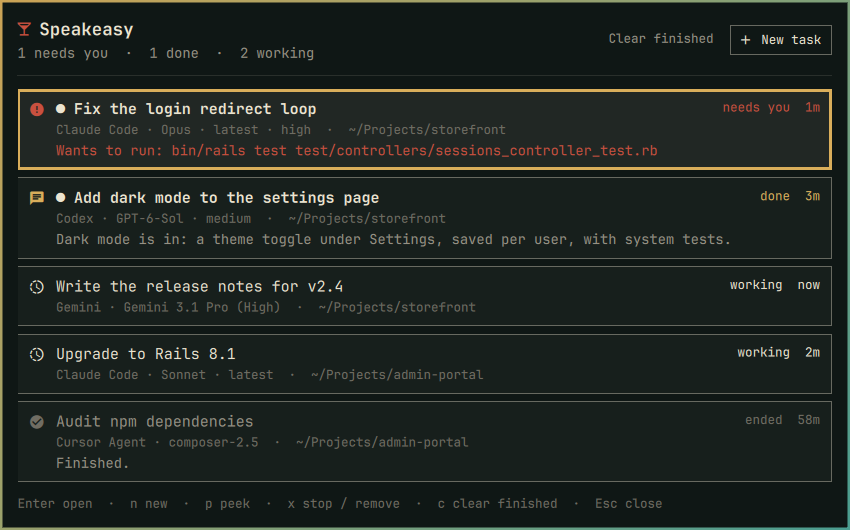
Each agent gets its own hidden tmux session. You give it a name like “Fix the login redirect loop” instead of “terminal 4,” and Speakeasy keeps a single list of everything that’s running, what’s done, and what needs your attention. The terminals stay out of sight until you actually need to look at one.
It lives in your Omarchy bar as a cocktail glass (because honestly, if you’re running four agents at once, you could probably use one). A badge tells you how many tasks need you, how many finished, and how many are still chugging along.
The smart bits
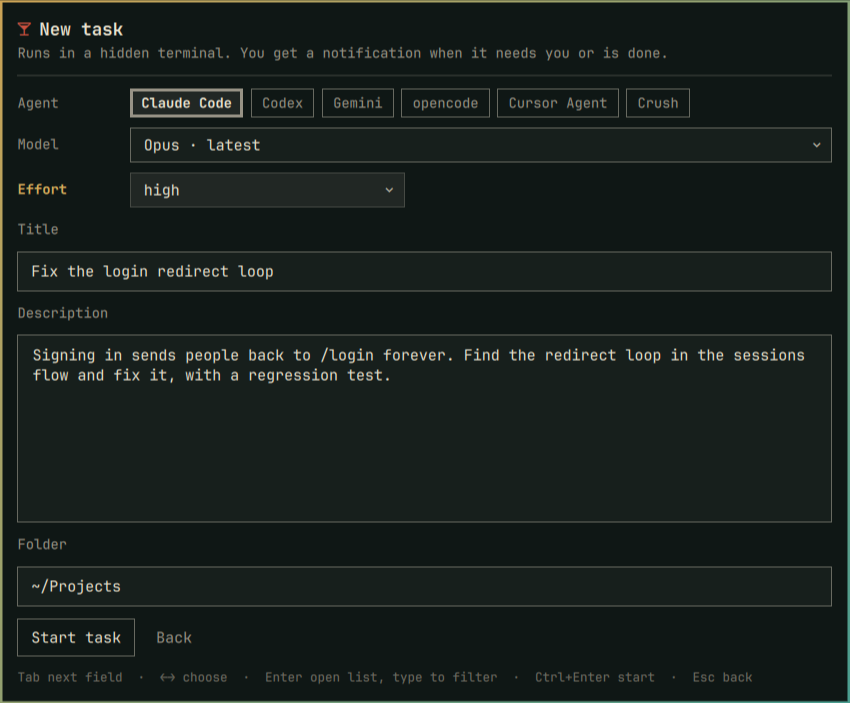
Speakeasy actually knows when a task needs you. Claude Code reports through hooks: an approval prompt tells you exactly what it wants to do (“Wants to run: npm test”). Codex reports finished turns. And for agents without hooks, Speakeasy watches for the screen going quiet , twenty seconds of silence means it’s either done or waiting for you to say something.
First-run questions are the real killer. You know how Claude asks “trust this folder?” the first time you run it in a new directory? Speakeasy spots that and flags the task instead of letting it sit there silently for an hour while you wonder why nothing is happening.
Every model in one picker
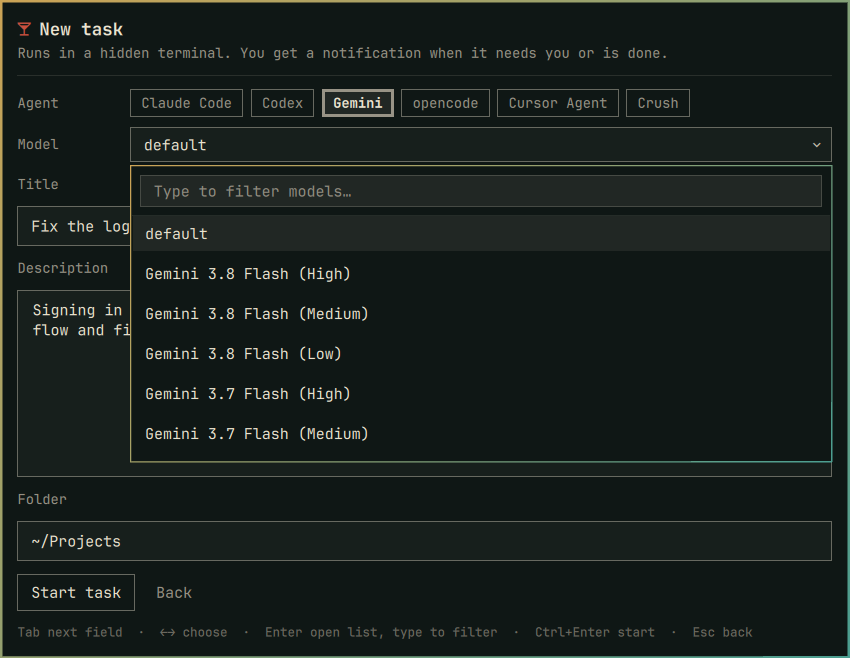
Claude, Codex, Gemini, Muse, Grok, Copilot, Hermes, Cursor Agent, opencode, Crush , Speakeasy knows them all. The model picker is searchable, so typing “opus” or “4.6” or “flash” narrows it instantly. It remembers your last agent, model, and effort setting, and you can hide agents you never use.
The engine is just one command
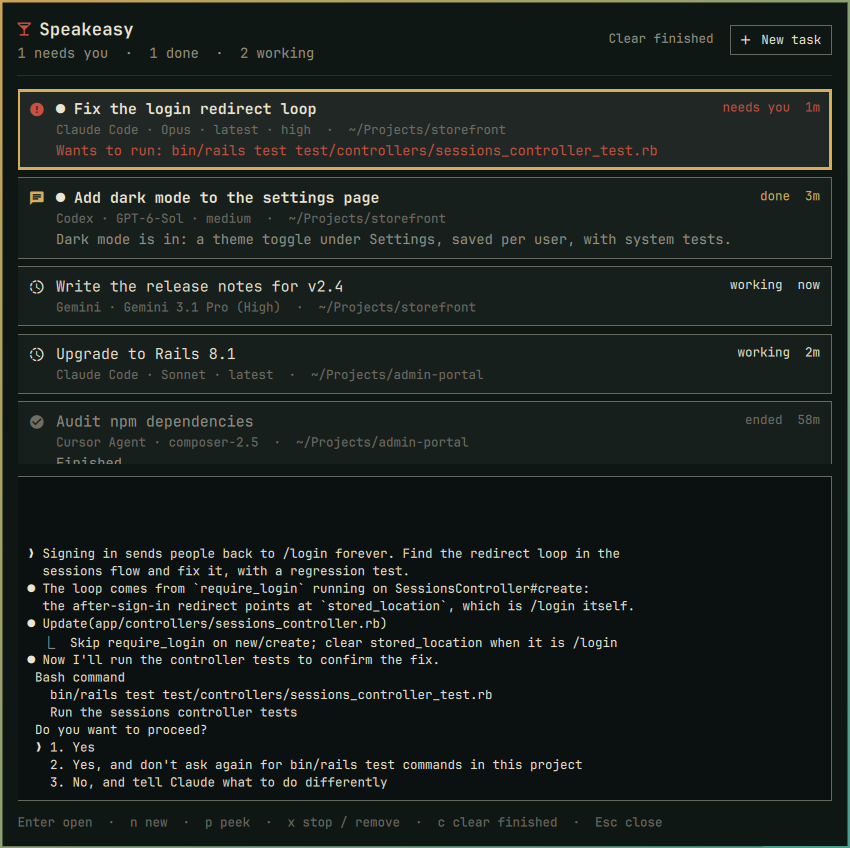
The bar panel is the Omarchy part, but the engine , speakeasy , runs on any Linux with Python 3 and tmux. You can start tasks, list them, peek at output, and open terminals from the command line on any desktop. Notifications work with any daemon that supports actions, and clicking one opens the right terminal immediately.
Get it
Or clone it and run ./install.sh. Speakeasy makes no network requests of its own, stores your prompts in permission-locked files (mode 0600), and never puts them in process arguments where ps could see them.
Your terminals can finally stop multiplying like gremlins. Check out the repo for the full rundown.