
Barkeep: your Omarchy bar’s best friend
Omarchy has this amazing plugin system. Widgets on the bar, panels that pop up, services humming in the background , it’s flexible, it’s powerful, and managing it without a GUI means memorizing the difference between omarchy plugin enable, omarchy bar move, and four other commands you only type once every three months. Nobody remembers those. Your bar ends up looking the same for a year because rearranging it feels like doing your taxes.
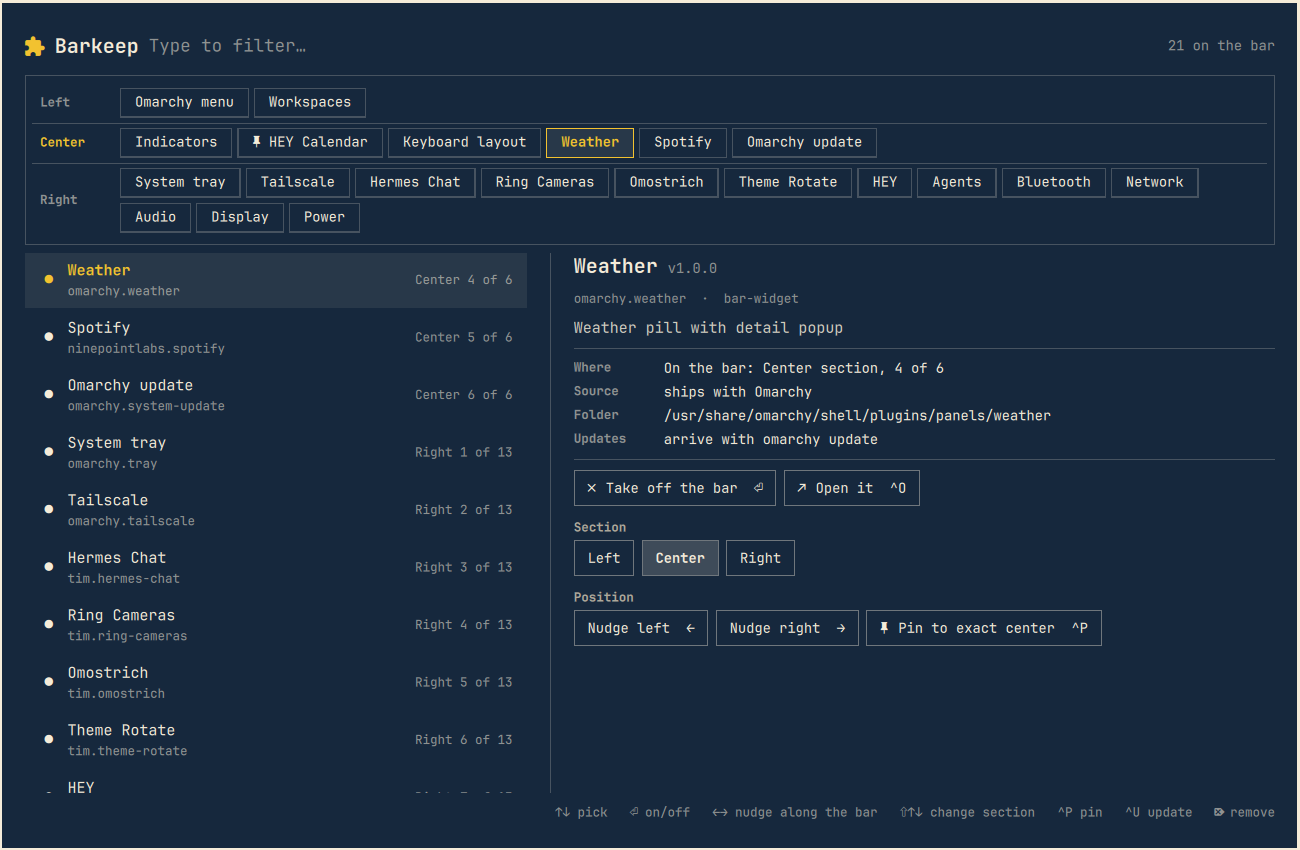
Barkeep on GitHub fixes all of that with one overlay. Press a key, and suddenly every plugin the shell knows about is right there, in a clean, searchable list with the bar strip sitting across the top so you can see what goes where while you’re moving things around.
What makes it good
The bar strip at the top shows your actual bar , Left, Center, Right sections, every widget in order. Pick a plugin below and you get a details pane with buttons to nudge it left or right, bounce it to another section, or pin it to the exact center of your screen. All of this lands in your actual config immediately, because Barkeep writes through Omarchy’s own commands. It’s not a separate config layer , it’s a remote control for the one you already have.
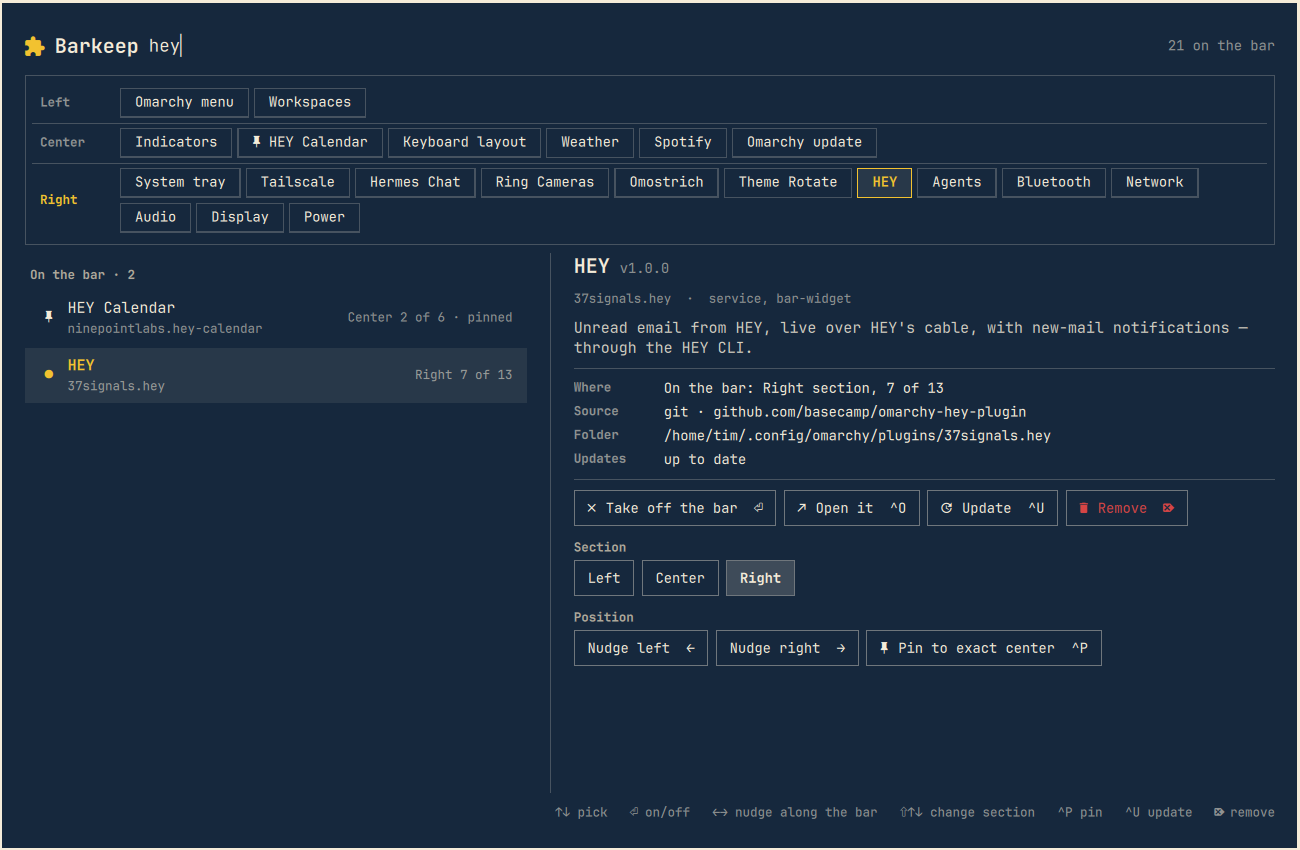
Start typing and the list filters instantly, just like the Omarchy menu you already know. Want to find that one weather widget you installed six months ago? Type “weather.” It’s there.
Updates without the archaeology
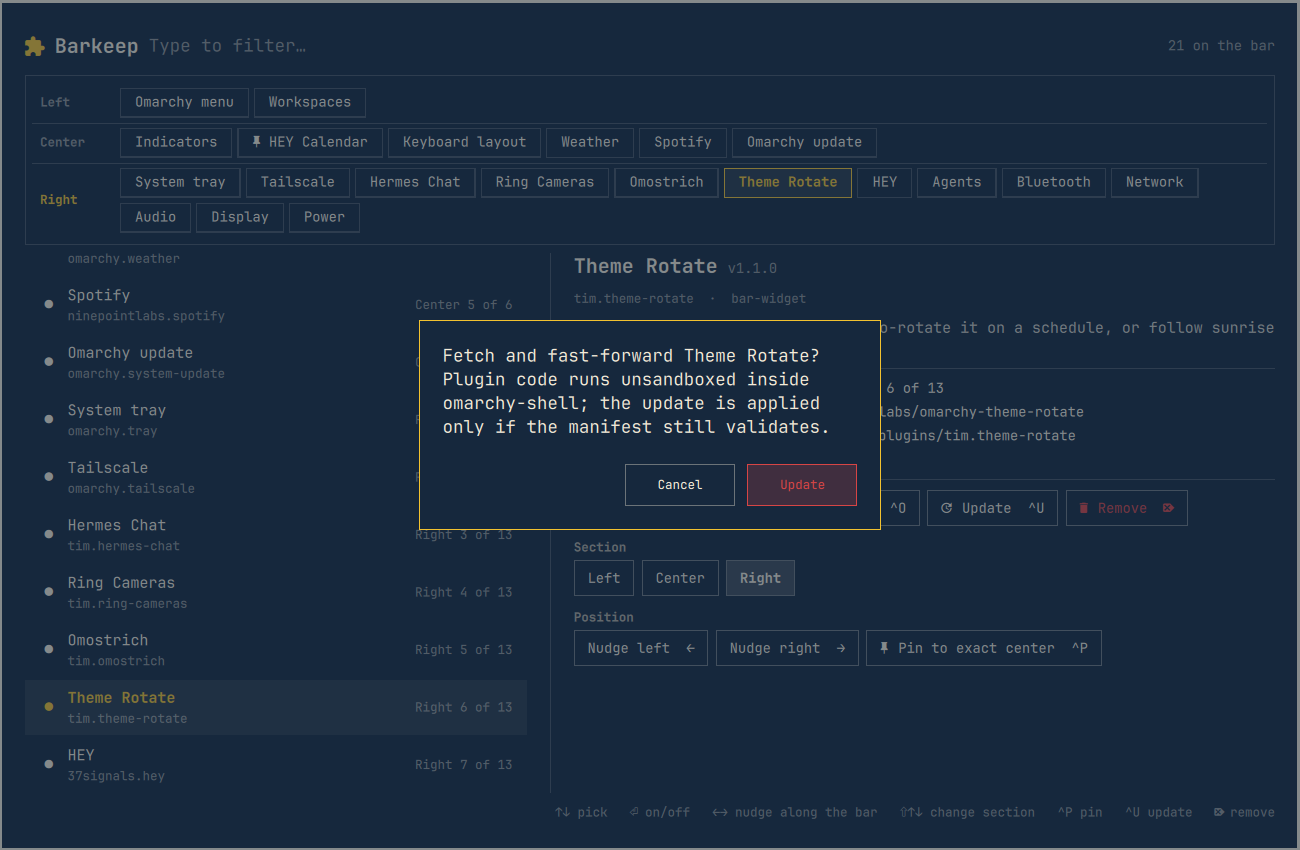
If you install plugins from git (and you should , that’s where the fun ones live), Barkeep checks every repo for new commits and shows you which ones have updates waiting. Hit Ctrl+U to update one, or Ctrl+Shift+U to update everything. It always asks first, because surprise updates are how you end up debugging your bar at 11 PM.
Bar profiles: because one layout is never enough
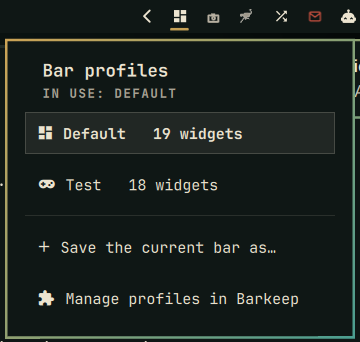
Here’s where it gets clever. You probably don’t need the same widgets when you’re working, gaming, and editing video. Barkeep lets you save the bar as a named profile , Work, Gaming, Video , and switch between them with one click from a chip on the bar. Each profile remembers which widgets are where. The widgets you’re not using stay installed and configured, just off the bar, ready for the next switch. Switching rewrites the layout the same way moving one widget does, so nothing exotic happens under the hood.
One command to install
That’s it. Bind SUPER + B and you’re done. Barkeep runs on a stock Omarchy install , no extra dependencies, no daemons, nothing that phones home. Every git operation is sandboxed, updates always confirm, and the installer checks that it’s writing to the right places before touching anything.
If you’ve been managing your Omarchy bar from the terminal because you had to rather than because you wanted to, give Barkeep a try. Your bar has been waiting for a GUI that doesn’t make it worse.