
Omaforge
If you play World of Warcraft on Linux, you already know the drill: Wine prefixes, multiple clients, and addons spread across CurseForge, WoWInterface, and GitHub like loot from a messy raid. Keeping them all updated is the kind of busywork that makes you wonder why you left Windows in the first place.
Enter omaforge , the addon manager that actually understands your Linux WoW setup.
omaforge scans every Wine prefix you’ve got , Lutris, Steam/Proton, Bottles, Heroic, plain old ~/.wine , and finds every World of Warcraft client hiding in there. Retail, Classic Era, Classic progression, the anniversary realms, PTRs, betas, and yes, World of Warcraft: Forever. Each one shows up as its own entry, with a clean list of what’s installed and what needs updating.
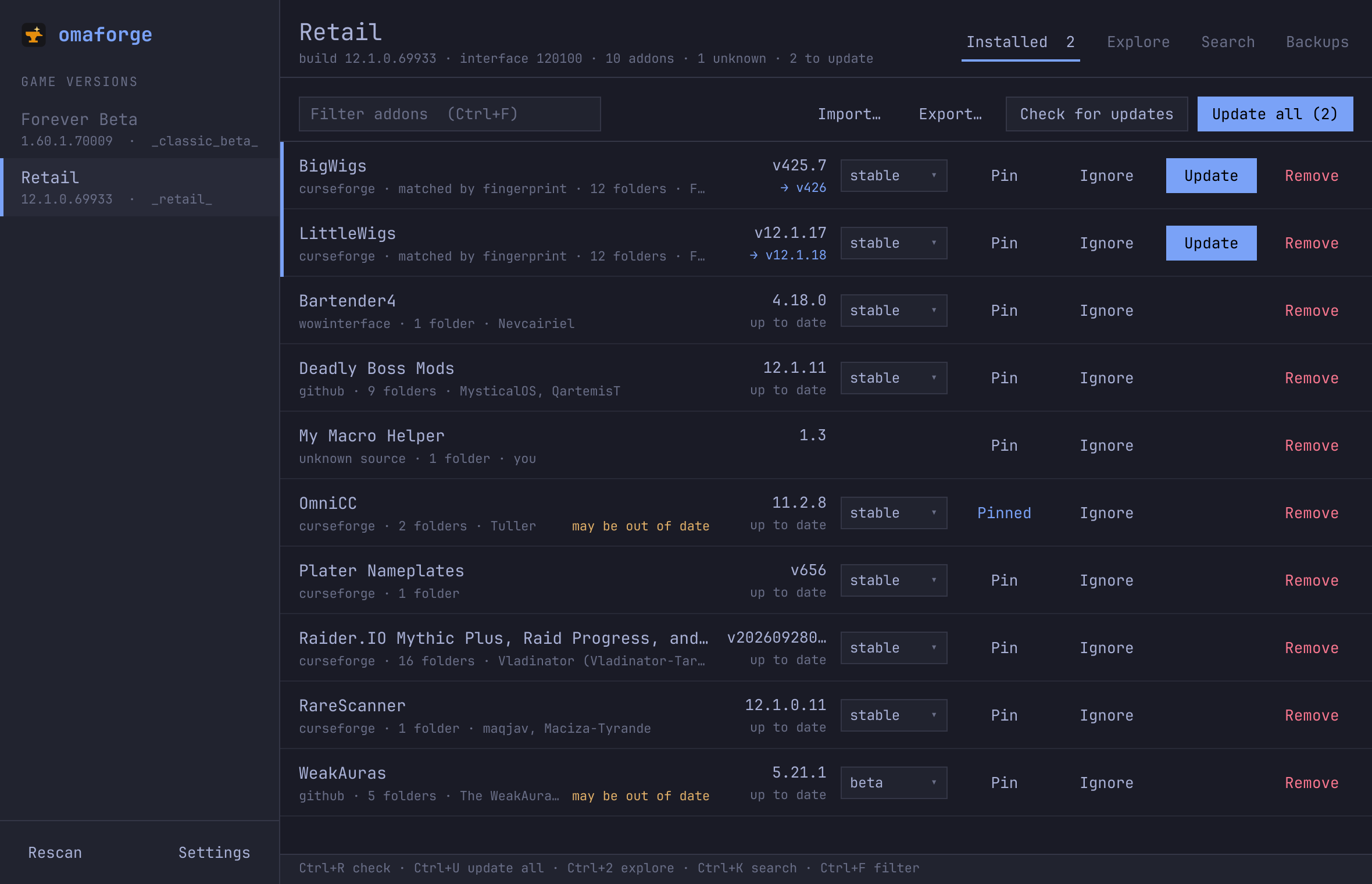
The clever bit is how it handles addons you installed before omaforge ever showed up. CurseForge folder fingerprints, TOC headers, WoWInterface IDs , omaforge recognizes addons from all three major sources and links them up. Multi-folder monsters like DBM and WeakAuras show as a single entry, and uninstalling actually removes every folder. No more ghost directories cluttering up your AddOns folder.
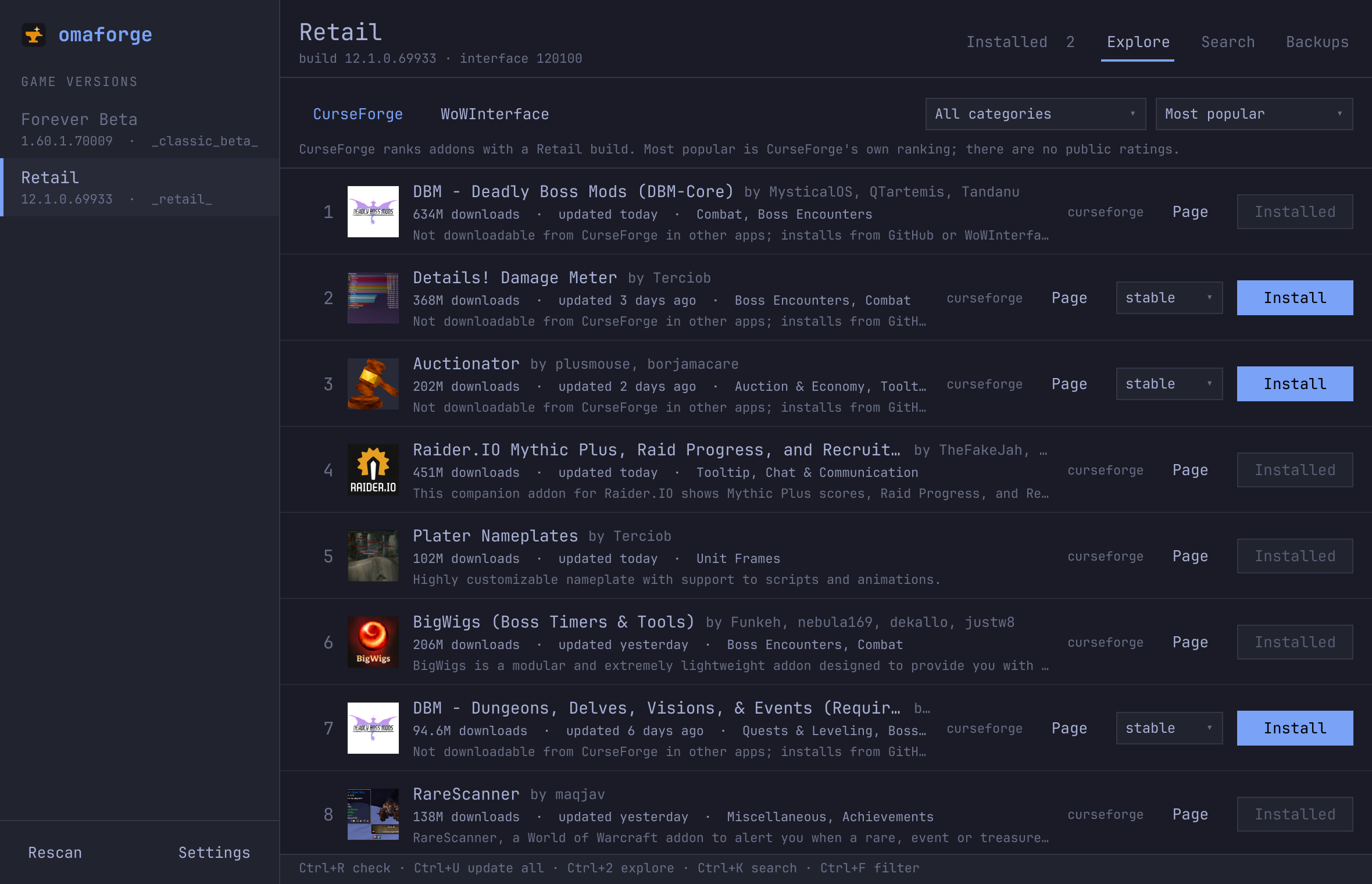
The Explore tab is where the fun is. Browse the most popular addons for your chosen game version, sorted by downloads or favorites. Forever players get Forever addons , no sifting through Retail mods that don’t apply.
And because omaforge is built for Omarchy, it follows your theme in real time. Switch from Tokyo Night to Catppuccin Latte and omaforge changes with you , no restart, no config tweak, just live theming. Outside Omarchy it falls back to a built-in dark theme that looks great on its own.
Updates are atomic (old version kept until the new one is fully unpacked), WTF backups are automatic before bulk updates, and every action the GUI can do is also available on the command line. It’s the kind of tool that makes you forget you’re managing addons at all.
Grab the latest release from the repo , your addons will thank you.